Framebreaker is an AI production platform built for commercials, short dramas, cinematic stories and other formats. It brings script breakdown, art direction for characters and locations, storyboard frames, multi-model video, voice, sound and a pre-edit in the NLE Panel into one complete workflow that follows how a production unfolds.
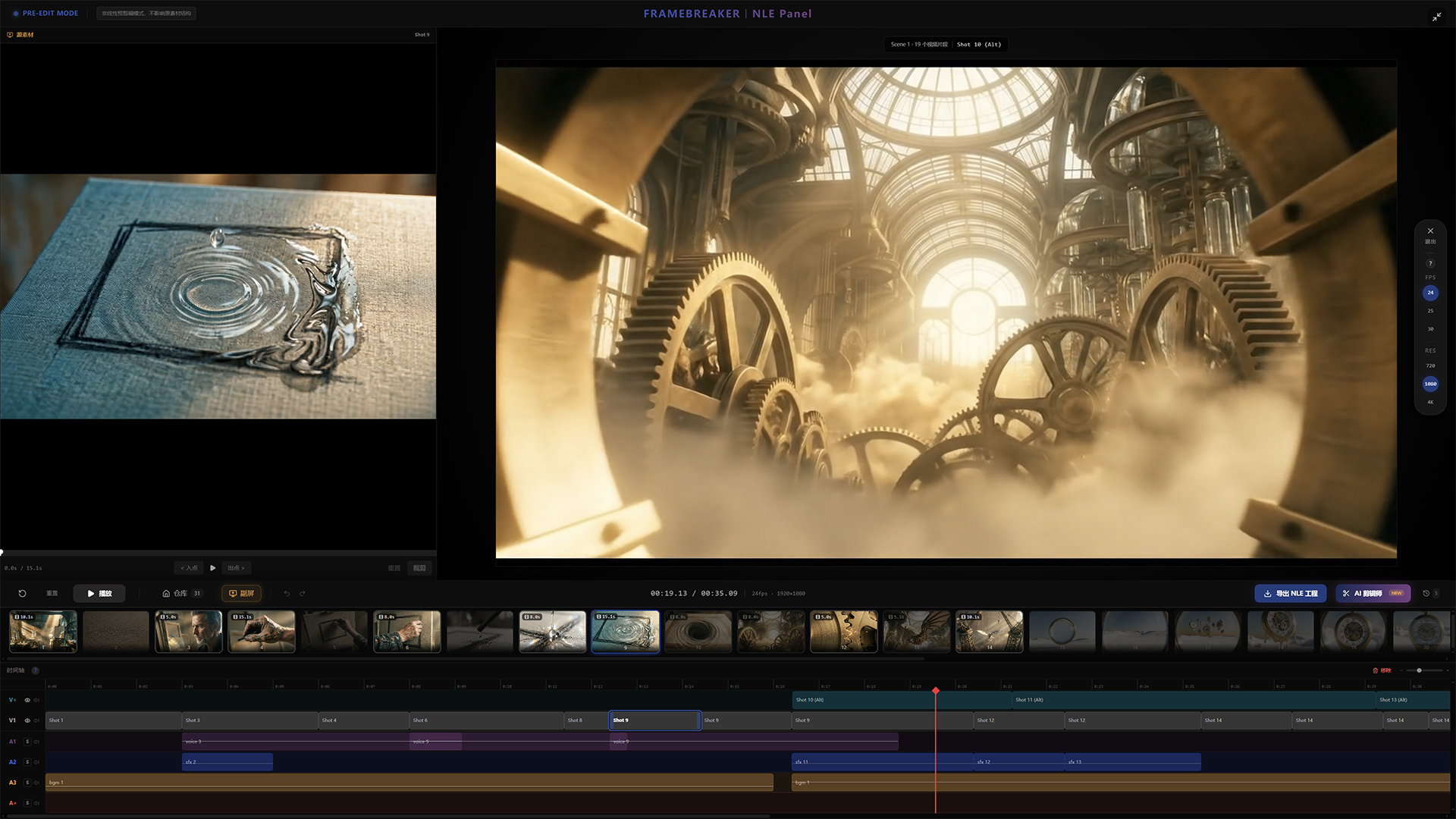
Pre-edit in the NLE Panel · Straight to post-production
Shots, voice and sound come together in the NLE Panel, edited manually or with Auto Edit
Export XML to Premiere Pro, DaVinci Resolve or Final Cut Pro
From the Director's Slate to the NLE Panel, each stage builds on the previous one: the format determines how the script is broken down, characters and locations become references for every frame, and confirmed frames become video.
Every project starts with a format, which sets the ground rules for the whole production:
whether the script is broken down by shot, episode or scene,
along with pacing and visual language, carried through every later stage.
Brand, e-commerce product and story ads. Shot by shot, dense in visuals and information.
Vertical series for mobile. Episode by episode, hook-driven and fast.
Scene-based breakdown for any genre, including short films.
An idea, a scene or a piece of writing. Start here when the format is not settled.
Input a script, ad copy or story. AI analyzes it, sets the tone and visual style, and generates a concept poster as the visual reference for the project. With no text at hand, Draft with AI writes a first draft from a few keywords.
Characters are extracted during Analysis, including appearance, build and wardrobe. Character portraits serve as references for every subsequent shot.
The script is adapted to the chosen format as a commercial script, episodes or scenes, using only characters from the character list.
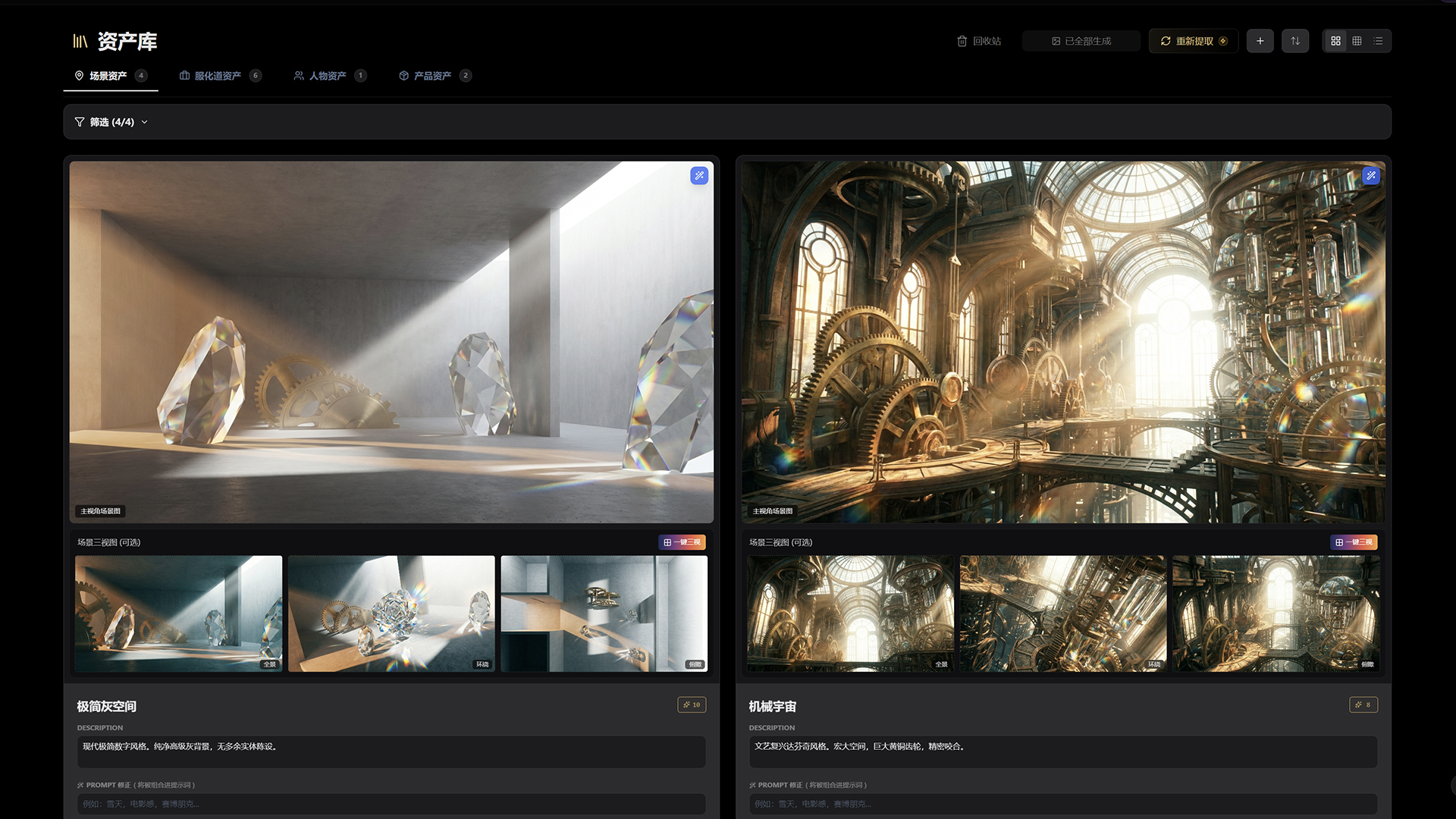
After the script is generated, locations, props, wardrobe and products are extracted automatically. Commercial projects prioritize uploaded product photos.
Running time and pacing determine the shot count, and each scene is broken down into a shot list with shot types, camera moves and dialogue.
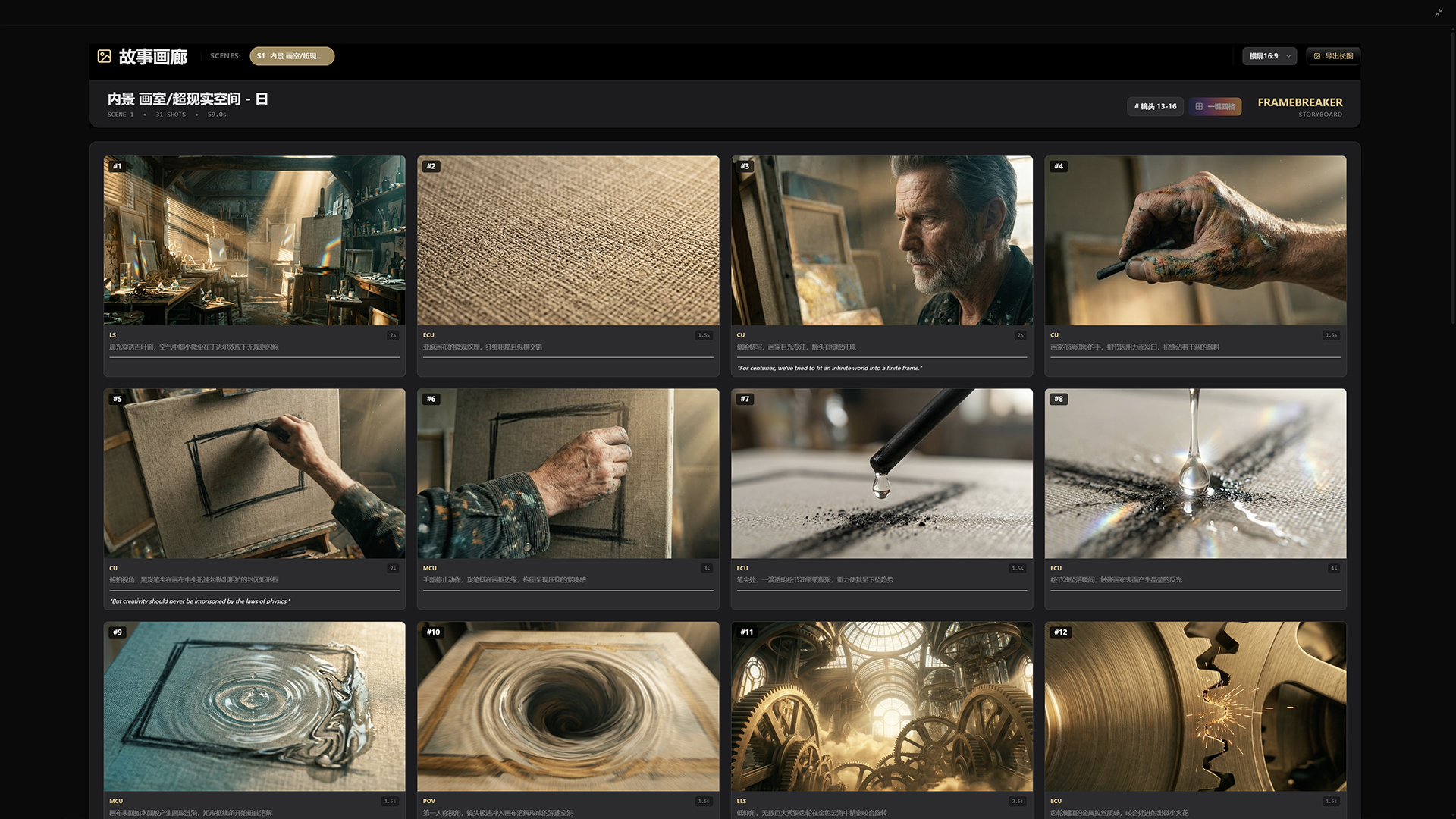
Render single frames or a Grid of 4. References are matched automatically by priority: product, character portrait, location, then props and wardrobe. Local issues can be corrected in the image editor.
Generate video from confirmed frames, select a model per shot, or combine consecutive shots into a single generation.
Voice-over, sound effects and music are organized by scene and shot and flow directly into the NLE Panel.
All media comes together on a multi-track timeline for a pre-edit, arranged manually or laid out by Auto Edit from the script.
Export XMEML or FCPXML projects or source media and continue editing in Premiere Pro, DaVinci Resolve or Final Cut Pro.
Characters and locations are defined up front, frames are matched with references automatically, and video is generated from confirmed frames. Multi-screen work and per-project cost tracking are built in as well.
A 30-second commercial typically runs 12 to 18 shots. Characters must stay consistent in every one, and a location must hold together from any camera angle. Character portraits, locations and product photos are defined up front and matched to each storyboard frame as references automatically.
Swap faces, repaint regions, and add or remove elements in one window, with version history you can roll back anytime.
Select consecutive shots, up to the limit of the chosen model, to generate one continuous clip across shot sizes. Combined with single-shot clips, this gives you more footage to work with.
Timeline on one screen, media on the other. Framebreaker brings a professional editing suite's multi-monitor setup to the browser.
No opaque subscriptions. Usage is billed per generation, failed generations are not charged, and costs are tracked per project so producers can see what every shot costs.
Top up as needed and pay only for what you use. Membership tiers never downgrade, so every upgrade is permanent.
No. Framebreaker is one complete workflow that follows how a production unfolds: start at the Director's Slate, move through Analysis, Characters, Script, Assets, Storyboard, Gallery and Video Studio, then pre-edit in the NLE Panel. There are no nodes to connect.
Characters, locations, props and products are defined before generation. Storyboard frames are matched with references automatically by priority, and video is generated from confirmed frames. Local issues can be fixed in the image editor.
Video: Kling, Veo, Wan, Seedance, MiniMax, HappyHorse and Gemini Omni, selectable per shot. Images: Nano Banana, GPT Image, Seedream and Wan. Voice, sound and music: ElevenLabs, MiniMax and Kling.
Pay as you go with BP credits. New accounts receive free BP, packs start at US$9.9, and failed generations are not charged.
Shots, voice and sound come together in the NLE Panel, where you can pre-edit by hand or with Auto Edit. For finishing, export XML or FCPXML to Premiere Pro, DaVinci Resolve or Final Cut Pro.
66 BP free on sign-up
Try it now